1Password vs Apple Keychain 2026 | Full Comparison
1Password is a cross-platform password manager with advanced sharing and team features, while Apple Keychain is a built-in solution limited to Apple devices with tighter OS integration. 1Password offers significantly more flexibility across ecosystems; Apple Keychain offers zero-cost convenience for Apple-only users.

1Password
Comprehensive cross-platform password manager with team collaboration and security monitoring.
Users with multiple devices/operating systems, teams needing shared access, security-conscious users, and those requiring granular permission controls.
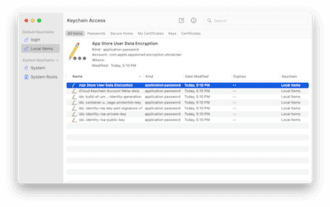
Apple Keychain
Built-in Apple password manager integrated with iCloud+ for encrypted cloud sync.
Apple-exclusive users prioritizing simplicity and cost savings, casual password managers, and those wanting tight OS integration without additional subscriptions.
Quick Answer
AI Summary1Password is a cross-platform password manager with advanced sharing and team features, while Apple Keychain is a built-in solution limited to Apple devices with tighter OS integration. 1Password offers significantly more flexibility across ecosystems; Apple Keychain offers zero-cost convenience for Apple-only users.
Our Verdict
AI-assistedChoose 1Password if you use multiple operating systems, need team collaboration features, want advanced security monitoring, or value granular sharing controls. Choose Apple Keychain if you exclusively use Apple devices, want zero cost, prefer seamless OS integration, and have simple password management needs.
Was this verdict helpful?


Choose 1Password if
Best pickUsers with multiple devices/operating systems, teams needing shared access, security-conscious users, and those requiring granular permission controls.
Choose Apple Keychain if
Apple-exclusive users prioritizing simplicity and cost savings, casual password managers, and those wanting tight OS integration without additional subscriptions.
Track this comparison
Get notified when prices change, new specs ship, or our verdict updates.
Triggers: price change new spec verdict update
No spam. Stop anytime.
Key Differences at a Glance
- Cross-Platform Support:✓ 1Password wins(Windows, Mac, iOS, iPadOS, Android, Linux, Web vs Mac, iOS, iPadOS only)
- Annual Subscription Cost:✓ Apple Keychain wins($0 (free with iCloud+) vs $36.99/year (Individual) or $99.99/year (Family))
- Team/Family Sharing Vaults:✓ 1Password wins(Unlimited shared vaults with granular permission controls vs Basic family sharing, no granular permissions)
Key Facts & Figures
55 numeric metrics compared
| Metric | 1Password | Apple Keychain | Ratio |
|---|---|---|---|
| Annual Premium Cost(USD) | $35.88/year | — | — |
| File Storage Per User(GB) | 1GB | — | — |
| User Rating(stars out of 5) | 4.6/5.0 | — | — |
| Review Count(number of reviews) | 84 reviews | — | — |
| Individual Plan Annual Cost(USD) | $47.88 | — | — |
| Monthly Individual Plan Cost(USD) | $3.99 | — | — |
| User Rating Score(stars) | 4.6/5.0 | — | — |
| Encrypted Document Storage(GB) | 1.0 | — | — |
| Verified User Reviews Count(reviews) | 84 | — | — |
| Review Count (Gartner)(reviews) | 83 reviews | — | — |
| Family Plan User Accounts(accounts) | 1 primary + 5 additional (6 total) | — | — |
| Monthly Subscription Cost (Annual Billing)(USD) | $2.99/month | — | — |
| Gartner User Rating(stars) | 4.7 stars | — | — |
| Free Trial Period(days) | 14 days | — | — |
| Individual Annual Price(USD) | $36.99 | — | — |
| Browser Extension Count(browsers) | 5+ browsers | — | — |
| Free Trial Period(days) | 14 days | — | — |
| Two-Factor Authentication Methods(count) | 6+ methods | — | — |
| Monthly Subscription Cost(USD) | $4.99/month (or $49.99/year) | Free (with iCloud+ at $0.99-9.99/month) | |
| Autofill Speed on Apple Devices(milliseconds) | ~500-800ms | ~200-300ms (native) | |
| Individual Plan Monthly Cost(USD) | $2.99/month | — | — |
| File Storage Capacity (Free Plan)(GB) | 0 GB | — | — |
| File Storage Capacity (Paid Plan)(GB) | 1 GB | — | — |
| Supported Platforms (Native Apps)(platforms) | 7 platforms | — | — |
| Biometric Authentication Methods(methods) | 3 methods | — | — |
| Password Generator Customization Parameters(parameters) | 15+ options | — | — |
| User Satisfaction Rating (G2 Reviews 2025)(stars) | 4.7/5 stars | — | — |
| Enterprise Business Plan (5+ users)(USD/month) | $19.99/month per user | — | — |
| Annual Subscription Cost (Individual)(USD) | $36 | — | — |
| Breached Credential Database Size(millions) | 690M+ (Watchtower) | — | — |
| G2 User Interface Rating(out of 5) | 4.7/5.0 | — | — |
| Number of G2 Reviews(count) | 3,400+ | — | — |
| Annual Cost (Individual)(USD) | $36.99 | Free (with iCloud+) | |
| Browser Extensions Available(count) | 6 browsers (Chrome, Firefox, Safari, Edge, Brave, Opera) | 1 browser (Safari only) | |
| Family Sharing Capacity(users) | Up to 5 users ($99.99/year) | Up to 6 users (iCloud Family, Apple-only) | |
| Family Plan Annual Cost(USD) | $99.99 | — | — |
| Autofill Response Time(seconds) | 0.3 | ~225ms | |
| Password Breach Database Size(billion accounts) | 5+ billion (Watchtower) | — | — |
| Annual Individual Plan Cost(USD) | $36.00 | — | — |
| Annual Family Plan Cost (5 users)(USD) | $119.99 | — | — |
| Cost per User (Family Plan)(USD) | $24.00 | — | — |
| Number of Browser Extensions(count) | Chrome, Firefox, Safari, Edge, Opera (5 major) | — | — |
| Annual Individual Plan Price(USD) | $36.99 | — | — |
| Two-Factor Authentication Methods Supported(methods) | 12 (TOTP, WebAuthn, SMS, email, etc.) | — | — |
| Password Generator Strength Options(customization types) | 8 (length, numbers, symbols, etc.) | — | — |
| Individual Annual Cost(USD) | $36/year | — | — |
| Family Plan (5 users) Annual Cost(USD) | $59.99/year | — | — |
| Free Plan Password Limit(passwords) | Limited vault | — | — |
| Last Independent Security Audit(years ago) | 2022 (4 years) | — | — |
| Business Plan Cost Per User/Month(USD) | $3.99/user/month | — | — |
| Breach Monitoring Coverage(billion records) | 84+ billion known compromises | No monitoring | |
| Password Generation Customization(options) | 20+ options (length, symbols, diceware, words, etc.) | 4-5 basic options | |
| Annual Cost (Premium Tier)(USD) | Free | Free | |
| Platform Coverage(platforms) | 4 platforms (Mac, iOS, iPad, Apple Watch) | 4 platforms (Mac, iOS, iPad, Apple Watch) | |
| Setup Time for New Users(minutes) | Instant (pre-integrated) | Instant (pre-integrated) |
Sourced from publicly available data ·
Key Differences
7 attributes compared head-to-head
- Windows, Mac, iOS, iPadOS, Android, Linux, Web(winner)Cross-Platform SupportMac, iOS, iPadOS only
- $36.99/year (Individual) or $99.99/year (Family)Annual Subscription Cost$0 (free with iCloud+)(winner)
- Unlimited shared vaults with granular permission controls(winner)Team/Family Sharing VaultsBasic family sharing, no granular permissions
- Real-time breach monitoring with 84+ billion known compromises(winner)Watchtower Security MonitoringNo dedicated breach monitoring feature
- 20+ customization options (length, symbols, words, diceware)(winner)Password Generation OptionsBasic length and character type options
- Designate trusted contacts who can access vault in emergency(winner)Emergency Access FeatureNot available
- Biometric, passwords, hardware keys, account recovery codes(winner)Device Authentication MethodsBiometric, device passcode, Face ID/Touch ID only
- Cross-Platform Support
1Password
Windows, Mac, iOS, iPadOS, Android, Linux, Web(winner)
Apple Keychain
Mac, iOS, iPadOS only
- Annual Subscription Cost
1Password
$36.99/year (Individual) or $99.99/year (Family)
Apple Keychain
$0 (free with iCloud+)(winner)
- Team/Family Sharing Vaults
1Password
Unlimited shared vaults with granular permission controls(winner)
Apple Keychain
Basic family sharing, no granular permissions
- Watchtower Security Monitoring
1Password
Real-time breach monitoring with 84+ billion known compromises(winner)
Apple Keychain
No dedicated breach monitoring feature
- Password Generation Options
1Password
20+ customization options (length, symbols, words, diceware)(winner)
Apple Keychain
Basic length and character type options
- Emergency Access Feature
1Password
Designate trusted contacts who can access vault in emergency(winner)
Apple Keychain
Not available
- Device Authentication Methods
1Password
Biometric, passwords, hardware keys, account recovery codes(winner)
Apple Keychain
Biometric, device passcode, Face ID/Touch ID only
Full Comparison
| Attribute | 1Password | Apple Keychain |
|---|---|---|
| Annual Premium Cost(USD) | $35.88/year | — |
| Individual Plan Annual Cost(USD) | $47.88 | — |
| Monthly Individual Plan Cost(USD) | $3.99 | — |
| Monthly Subscription Cost (Annual Billing)(USD) | $2.99/month | — |
| Individual Annual Price(USD) | $36.99 | — |
Show 20 more attributesFree Trial Period(days) 14 days — Individual Plan Annual Cost(USD) $47.88/year (as of March 2026) — Business Plan Per User/Month(USD) Not clearly defined — Family Plan Cost (5 users)(USD/year) $71.88/year — Monthly Subscription Cost(USD) $4.99/month (or $49.99/year) Free (with iCloud+ at $0.99-9.99/month) Individual Plan Monthly Cost(USD) $2.99/month — Enterprise Business Plan (5+ users)(USD/month) $19.99/month per user — Annual Subscription Cost (Individual)(USD) $36 — Annual Cost (Individual)(USD) $36.99 Free (with iCloud+) Family Plan Annual Cost(USD) $99.99 — Annual Individual Plan Cost(USD) $36.00 — Annual Family Plan Cost (5 users)(USD) $119.99 — Cost per User (Family Plan)(USD) $24.00 — Annual Individual Plan Price(USD) $36.99 — Individual Annual Cost(USD) $36/year — Family Plan (5 users) Annual Cost(USD) $59.99/year — Business Plan Cost Per User/Month(USD) $3.99/user/month — Free Tier Availability No—paid plans only Yes—free with iCloud+ ($2.99+/month) Free Plan Available Free with iCloud+ subscription — Annual Cost (Premium Tier)(USD) Free — | ||
| File Storage Per User(GB) | 1GB | — |
| Maximum Stored Passwords (Free Plan)(passwords) | Unlimited | — |
| User Rating(stars out of 5) | 4.6/5.0 | — |
| User Rating Score(stars) | 4.6/5.0 | — |
| Gartner User Rating(stars) | 4.7 stars | — |
| Number of G2 Reviews(count) | 3,400+ | — |
| Review Count(number of reviews) | 84 reviews | — |
| Source Code | Proprietary | — |
| Source Code Availability | Closed-source with audits | — |
| Password Storage Limit(passwords) | Unlimited | — |
| Encrypted Document Storage(GB) | 1.0 | — |
| Family Plan User Accounts(accounts) | 1 primary + 5 additional (6 total) | — |
| VPN Integration | Not included | — |
| Free Storage (File Sharing)(GB) | Limited | — |
Show 16 more attributesMaximum Passwords (Premium)(count) Unlimited — Document Storage (Individual)(GB) 1 GB included — Password Storage Capacity(Passwords) Unlimited — Multi-Device Synchronization Real-time across all platforms — Shared Vaults/Family Support Yes - unlimited shared vaults for families/teams Limited - iCloud Family Group sharing only File Storage Capacity (Free Plan)(GB) 0 GB — File Storage Capacity (Paid Plan)(GB) 1 GB — Password Generator Customization Parameters(parameters) 15+ options — Vault Sharing Limits(shared items per vault) Unlimited with granular permissions — Maximum Custom Vaults(count) Unlimited vaults — Team Members (Standard Plan)(count) Unlimited (Teams plan starts at $34.99/user/year) — Advanced Sharing Permissions (Field-Level) Available (edit, view-only, hide fields) — Password Generator Strength Options(customization types) 8 (length, numbers, symbols, etc.) — Free Plan Password Limit(passwords) Limited vault — Password Generation Customization(options) 20+ options (length, symbols, diceware, words, etc.) 4-5 basic options Password Sharing Support No — | ||
| Vault Breach History | Never breached | — |
| Encryption Algorithm | AES-256 | — |
| Two-Factor Authentication Methods(count) | 6+ methods | — |
| Enterprise Compliance Features | Good | — |
| Third-Party Security Audits(count) | 1 (Cure53 2022)(winner) | No published audits |
Show 10 more attributesBiometric Authentication Methods(methods) 3 methods — Breached Credential Database Size(millions) 690M+ (Watchtower) — Built-in TOTP Generator Yes No Emergency Access Delegation Yes - designate trusted contacts No Encryption Algorithm AES-256 + PBKDF2 — Encryption Standard AES-256 + PBKDF2 256-bit AES encryption via iCloud+ Two-Factor Authentication Methods Supported(methods) 12 (TOTP, WebAuthn, SMS, email, etc.) — Breach Monitoring Coverage(billion records) 84+ billion known compromises No monitoring Breach Monitoring Passive monitoring on sign-in — Breach Database Coverage(billion records) Limited to Apple's curated alerts — | ||
| Verified User Reviews Count(reviews) | 84 | — |
| Review Count (Gartner)(reviews) | 83 reviews | — |
| Apple Watch Support | Yes, native support | — |
| Watchtower Breach Scanner | Included in all plans | — |
| Dark Web Monitoring | Not included | — |
| Travel Mode (Vault Hiding) | Yes - temporarily remove vaults from device | No |
| Data Breach Monitoring | Yes - detailed breach reports included | Limited - basic breach alerts via iCloud |
| Dark Web Monitoring Records Scanned(billions) | Watchtower (proprietary scope) | — |
Show 3 more attributesEmergency Access Feature Yes—designate trusted contacts Not available Password Breach Database Size(billion accounts) 5+ billion (Watchtower) — Travel Mode Feature(yes/no) Yes — | ||
| Password Generator Customization | Advanced with custom rules | — |
| Android Device Compatibility | Wider compatibility across versions | — |
| Linux Desktop Support | Native app | — |
| Browser Extensions Available(count) | 6 browsers (Chrome, Firefox, Safari, Edge, Brave, Opera)(winner) | 1 browser (Safari only) |
| Free Tier Unlimited Password Storage | Limited storage in free tier | — |
| Free Trial Period(days) | 14 days | — |
| Secrets Management (Enterprise) | Full DevOps integration | — |
| Team Members Supported (Pro Plan)(users) | Unlimited | — |
| Family Sharing Capacity(users) | Up to 5 users ($99.99/year) | Up to 6 users (iCloud Family, Apple-only)(winner) |
| Team Vault Collaboration | Advanced with granular permissions | Basic sharing only |
| Password Vault Sharing Limit(people) | Unlimited (paid plan) | — |
| Vault Sharing Granularity(permission levels) | View, Edit, Manage permissions per item | Basic shared family vault only |
Show 1 more attributeTeam Collaboration Features Limited iCloud family sharing — | ||
| Dark Web Monitoring | Basic | — |
| Browser Extension Count(browsers) | 5+ browsers | — |
| Operating System Support | 6 major platforms (Windows, macOS, iOS, Android, Linux, web)(winner) | Apple only (macOS, iOS, iPadOS, watchOS) |
| Supported Platforms (Native Apps)(platforms) | 7 platforms | — |
| Supported Operating Systems | 6+ platforms (Windows, macOS, iOS, Android, Linux, web) | 4 platforms (macOS, iOS, iPadOS, watchOS) |
| Number of Browser Extensions(count) | Chrome, Firefox, Safari, Edge, Opera (5 major) | — |
Show 3 more attributesSupported Platforms(count) 7 platforms (Windows, Mac, iOS, iPadOS, Android, Linux, Web) 3 platforms (Mac, iOS, iPadOS) Platform Coverage(platforms) 4 platforms (Mac, iOS, iPad, Apple Watch) — Android Device Support Not supported — | ||
| User Interface Complexity | Simple/Intuitive | — |
| Autofill Speed on Apple Devices(milliseconds) | ~500-800ms | ~200-300ms (native)(winner) |
| Autofill Response Time(seconds) | 0.3(winner) | ~225ms |
| User Satisfaction Rating (G2 Reviews 2025)(stars) | 4.7/5 stars | — |
| G2 User Interface Rating(out of 5) | 4.7/5.0 | — |
| OS Integration Level | App-based, works across ecosystems | Native system-wide integration on Apple devices |
| Self-Hosting Option(yes/no) | No | — |
| Maximum Vault Limit(vaults) | Unlimited | Single keychain (limited categorization) |
| Local Encryption/Offline Option | Yes, full local option available | — |
| Open Source Code(yes/no) | No (proprietary) | — |
| Last Independent Security Audit(years ago) | 2022 (4 years) | — |
| Setup Time for New Users(minutes) | Instant (pre-integrated) | — |
1PasswordApple KeychainShow 20 more attributes
Show 16 more attributes
Show 10 more attributes
Show 3 more attributes
Show 1 more attribute
Show 3 more attributes
Pros & Cons
10 pros·5 cons across both
1Password
Pros
- Works on Windows, Mac, Android, iOS, Linux, and web browsers
- Real-time breach detection monitors 84+ billion compromised credentials
- Unlimited shared vaults with granular permission controls for teams
- Travel Mode encrypts sensitive data when crossing borders
- Emergency Access allows trusted contacts to access vault in crisis
Cons
- Requires paid subscription ($36.99-$99.99/year) with no free tier
- Steeper learning curve for advanced features compared to Keychain
Apple Keychain
Pros
- Completely free with iCloud+ subscription (included in $2.99+/month plans)
- Seamless integration with Safari, iOS apps, and macOS system-wide
- Automatic password suggestions during account creation
- No separate account or login required—uses Apple ID
- Hardware-level encryption with Secure Enclave protection
Cons
- Limited to Apple ecosystem (Mac, iPhone, iPad only)
- No team or family vault sharing with permission controls
- No breach monitoring or security alerts for compromised passwords
Frequently Asked Questions
5 questions
Yes. 1Password works on Windows, Mac, Android, Linux, and has a web interface. Apple Keychain is exclusively for Apple devices (Mac, iPhone, iPad). If you need cross-platform password management, 1Password is the only choice.
Resources & Learn More
Curated sources to dive deeper
Where to Buy
As an affiliate, we may earn a commission from qualifying purchases at no extra cost to you. Learn more about our affiliate disclosure
Wikipedia
Related Comparisons
12 more to explore
1Password vs Apple Keychain
software1Password vs Apple Keychain
software1Password vs LastPass
softwareNordPass vs 1Password
softwareDashlane vs 1Password
productsLastPass vs Apple Keychain
software1Password vs Keeper
software1Password vs Bitwarden
software1Password vs Keeper Password Manager
softwareNordPass vs 1Password
softwareNordPass vs 1Password
software1Password vs Bitwarden
software
Related Articles
5 articles
- technology
Best Streaming Services in 2026: Top Picks for Every Budget & Interest
Navigating the crowded streaming landscape in 2026 can be overwhelming. We've tested and ranked the best streaming services that offer the most value, from Netflix's massive library to budget-friendly options like Tubi, helping you cut cable and find your perfect entertainment solution.
Read article - technology
Best Live TV Streaming Services & Plans for Spring 2026: Complete Buyer's Guide
Tired of overpaying for cable? Discover the best live TV streaming services and plans for Spring 2026, including YouTube TV's new genre-based packages starting at $55/month. Our comprehensive guide breaks down pricing, channels, and features to help you cut the cord.
Read article - technology
Philo in 2026: Streaming TV Service Review, Pricing & Reddit Community Insights
Explore Philo's evolution heading into 2026, including pricing tiers, channel lineup, and how it compares to competitors like Sling TV. Discover what the r/PhiloTV Reddit community thinks about the service's current offerings and future prospects.
Read article - technology
Best US Fighter Jets 2026: Top American Combat Aircraft Ranked
Discover the most advanced US fighter jets dominating the skies in 2026. From the legendary F-22 Raptor to the versatile F-35 Lightning II, we rank America's best combat aircraft based on performance, stealth, and air superiority capabilities.
Read article - technology
Philo in 2026: Pricing, Lineup & How It Compares to Sling TV
As we head into 2026, Philo continues to position itself as an affordable streaming alternative for cable TV lovers. Discover what Philo offers, how its pricing stacks up against competitors like Sling TV, and what the Reddit community thinks about its future.
Read article
Explore More
Related comparisons and categories